
Publishing the Blog to the ATProto Ecosystem with site.standard.document
Entering the ATProto ecosystem
As a former Twitter addict I quickly dove into Bluesky when it became clear that the new ownership would be condoning and promoting racist and misogynistic rhetoric. Bluesky is just one part of a larger ATProto ecosystem, though — it’s a decentralized data layer. Standard.site is a shared lexicon for longform publishing built on ATProto, giving portability, discoverability, and the ability to show Bluesky replies as comments.
What site.standard.document Actually Is
In the AT Protocol, your records live in a Personal Data Server (PDS), which acts like a database that you own. You can run a PDS of your own, but I keep my account on the Bluesky PDS.
Records in those PDSes declare a lexicon that tells ATProto apps how to interpret each record and which to include in their indexing. For skeets, likes, reposts, follows, notifications, and other Bluesky actions, the Bluesky AppView (basically a big indexer) looks for records with the app.bsky.* lexicon.
The site.standard.* lexicon is built to share longform publishing. By publishing site.standard.* records to my PDS, readers like Standard-reader and Leaflet can index my posts.
- site.standard.publication — describes my blog as a whole: name, URL, description
- site.standard.document — describes a single post: title, path, pubDate, tags, and optionally a reference to a Bluesky post
Setting Up the Integration
Installing the Package
npm install @kckempf/astro-standard-siteI have extended Bryan Guffey’s astro-standard-site package with a fork that eliminates an Astro 6 peer dependency conflict along with improved Comments rendering.
Adding bskyPostUri to the Content Schema
This blog uses build-time content collections, so I added the optional field to the blog schema in the src/content.config.ts.
bskyPostUri: z.string().optional(),This is the AT-URI of a Bluesky post that announces or discusses the blog entry. It’s what the comments component uses to fetch replies.
Wiring in the Comments Component
Similar to the Build a blog tutorial, I use a common layout for each of my blog posts. I added the comments section to each post in src/layouts/BlogPost.astro:
import Comments from '@kckempf/astro-standard-site/components/Comments.astro';Then render it conditionally after the post content:
{bskyPostUri && (
  <Comments
    bskyPostUri={bskyPostUri}
    canonicalUrl={canonicalUrl}
    showReplyLink={true}
  />
)}
Because this site is a static site, comments are fetched at build time and replies only show up after the next deploy.
The canonicalUrl is constructed from Astro.site + the post slug and passed down automatically from the slug page. The bskyPostUri is the Bluesky post URI, which is only available after I actually make the Bluesky post referencing the blog post. I use a script to fill these in after I make a blog post and a linked Bluesky post.
The .well-known Verification Endpoint
Because anybody can write a site.standard.publication record to their PDS that claims url: "https://www.grokkist.com", I need a verification endpoint that proves that I’m the one who owns the site. src/pages/.well-known/site.standard.publication.ts serves a verification file that Standard.site uses to confirm that I own the publication. It reads the publication record key from an environment variable set after the first run of the publish script.
export const GET = () => {
  return new Response(
    generatePublicationWellKnown({ did, publicationRkey }),
    { headers: { 'Content-Type': 'text/plain' } }
  );
};
Publishing Records
The Publish Script
I’ve added a new script, scripts/publish-atproto.ts, that handles three things:
- Ensures a
site.standard.publicationrecord exists for the blog - Creates
site.standard.documentrecords for any new posts - Updates existing records when the title, description, or tags have changed
This script runs during a new Publish to ATProto step in the CI/CD pipeline. It’s fully idempotent — it lists existing documents from the PDS, matches them by path, and diffs the fields before deciding whether to create, update, or skip.
First Run
Before I could actually publish, I needed to get the ATPROTO_PUBLICATION_RKEY. The publish script is configured to print this key when it is first run. The app password is generated from the PDS, which in my case was Bluesky, available at The Bluesky App Passwords Page.
const publisher = new StandardSitePublisher({
  identifier: HANDLE,
  password: APP_PASSWORD,
});

await publisher.login();

// Ensure publication record exists
let publicationUri;
const publications = await publisher.listPublications();
const existing = publications.find(p => p.value?.url === SITE_URL);

if (existing) {
  publicationUri = existing.uri;
  const rkey = existing.uri.split('/').at(-1);
} else {
  const result = await publisher.publishPublication({
    name: '<Site name>',
    url: SITE_URL,
    description: "<Site description>",
  });
  publicationUri = result.uri;
  const rkey = result.uri.split('/').at(-1);
  console.log(`Publication created: ${publicationUri}`);
  console.log(`\n*** Add this to your GitHub secrets and CI env ***`);
  console.log(`ATPROTO_PUBLICATION_RKEY=${rkey}\n`);
}
I ran the first run from my IDE:
ATPROTO_APP_PASSWORD=<your-app-pw> ATPROTO_HANDLE=<your-app-handle> npm run publish-atprotoThe first run created the publication record and printed its rkey:
ATPROTO_PUBLICATION_RKEY=abc123xyzI added both ATPROTO_APP_PASSWORD and ATPROTO_PUBLICATION_RKEY as GitHub secrets. With those in place, my posts are automatically published and available on the ATProto firehose.
Running in CI
The publish step runs on every push to main (in the deploy workflow), while a build+deploy step runs nightly to pull down the latest comments.
on:
  schedule:
    - cron: '7 2 * * *'
  workflow_dispatch:
Connecting Bluesky Posts to Blog Posts
What bskyPostUri Is
The record I’m publishing for the blog post uses the site.standard.* lexicon to make it available for aggregators on the ATProto firehose. However, I also want to integrate with Bluesky, so that I can show comments in response to my posts directly in the body of the post. To do that I need a separate Bluesky post, which I can then associate with the blog post. After publishing the blog, I write a Bluesky post, then update the original blog post with the bskyPostUri of that Bluesky post and publish again to associate the comments.
Auto-Discovering Your Posts with find-bsky-posts.ts
While I could copy the bskyPostUri for myself, I have made my job easier by adding a scripts/find-bsky-posts.ts script, which searches Bluesky for posts mentioning grokkist.com and writes the bskyPostUri directly into the matching frontmatter.
ATPROTO_APP_PASSWORD=<your-app-pw> npm run find-bsky-postsThe script searches for posts on www.grokkist.com from my handle using the Bluesky API, matches URLs from post text, facets, and link card embeds, then writes the bskyPostUri to each post.
Review the changes before committing:
git diff src/content/blog/Seeing It in the Wild
Browse the blog’s raw records at: PDSls
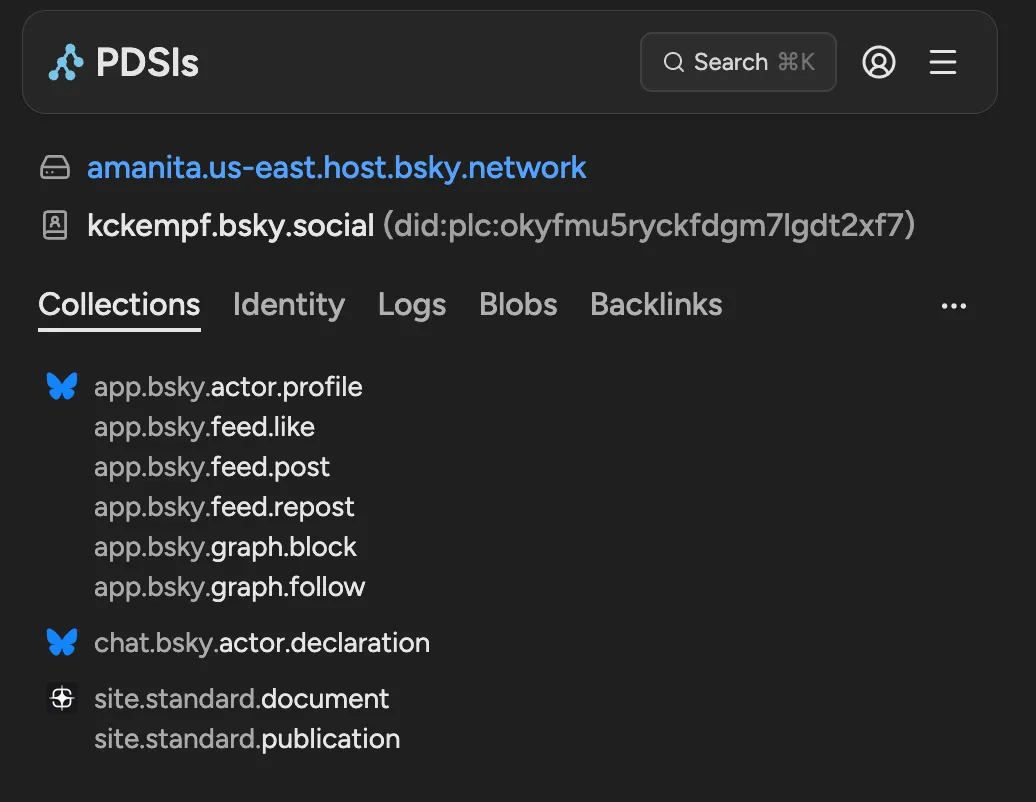
Click into the site.standard.document collection to verify the posts are there with correct tags and metadata.
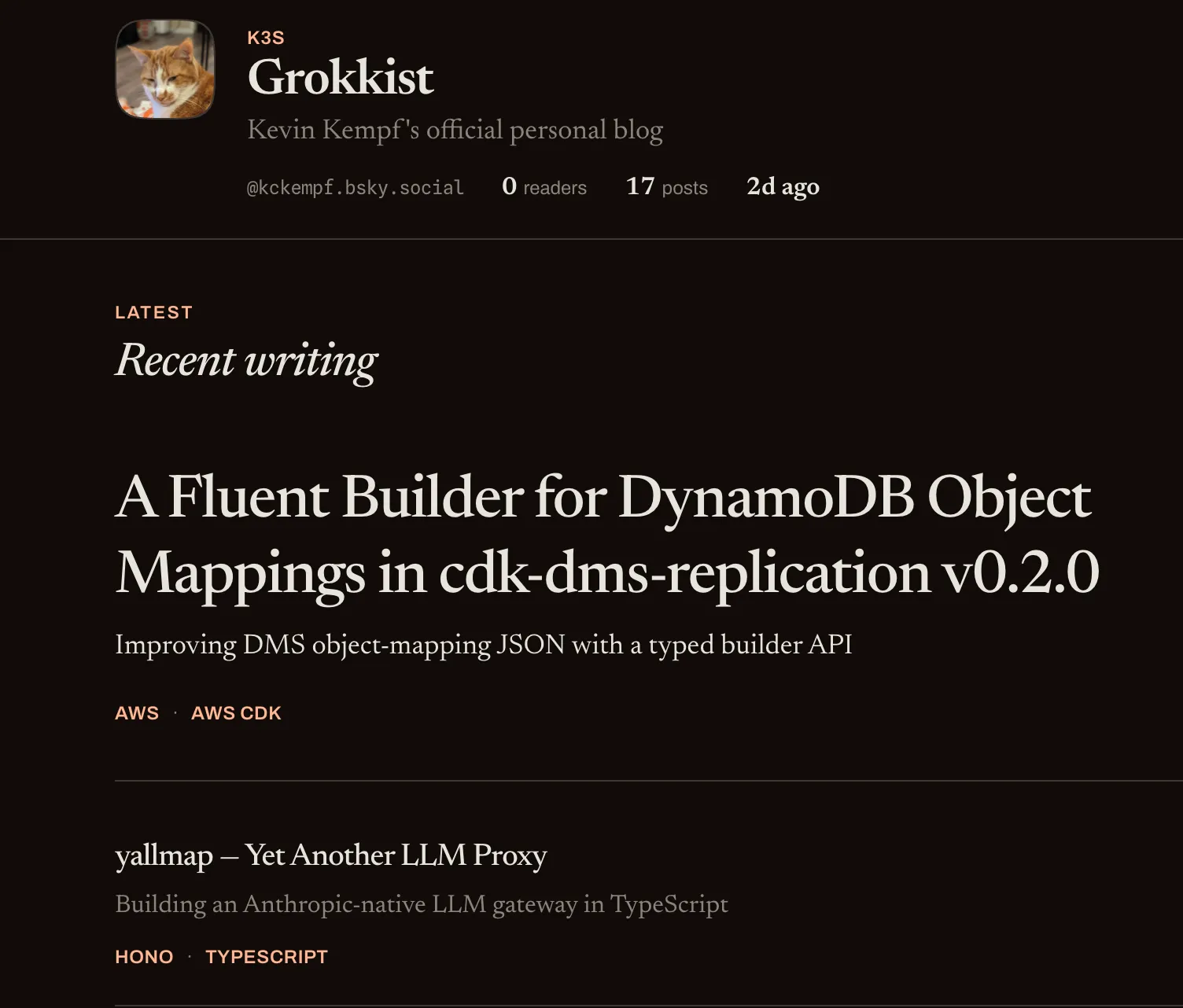
You can also receive updates on my posts from standard.site-compatible readers such as Standard-reader. There, you can subscribe to my feed and get updates whenever I post on my site.
What’s Still Manual
- Posting on Bluesky about a new post — the integration doesn’t auto-post to my feed
- Running find-bsky-posts.ts locally after I’ve posted, then committing the frontmatter update
Conclusion
Using the site.standard.* lexicon is a great way to integrate your blog into the ATProto ecosystem. If you want to contribute improvements to ATProto integration with Astro, please fork or contribute to the astro-standard-site repository.
Comments
No comments yet. Be the first to reply on Bluesky!